Data Science 101: Semi-Automated Exploratory Data Analysis Process in Python - Part 1
Data Preprocessing and Feature Engineering Using Pandas

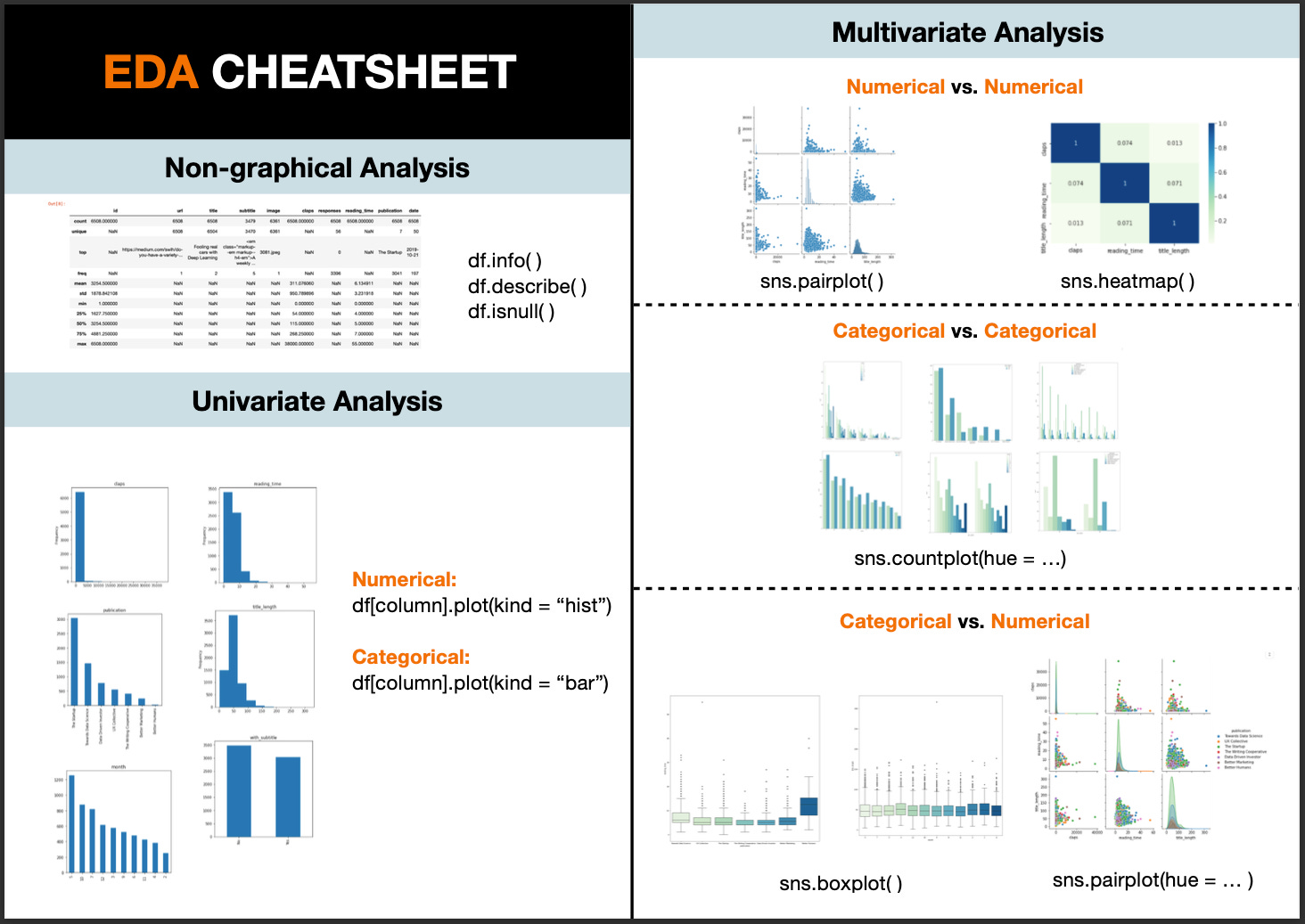
Exploratory Data Analysis, also known as EDA, has become an increasingly hot topic in data science. Just as the name suggests, it is the process of trial and error in an uncertain space, with the goal of finding insights. It usually happens at the early stage of the data science lifecycle. Although there is no clear-cut between the definition of data exploration, data cleaning, or feature engineering. EDA is generally found to be sitting right after the data cleaning phase and before feature engineering or model building. EDA assists in setting the overall direction of model selection and it helps to check whether the data has met the model assumptions. As a result, carrying out this preliminary analysis may save you a large amount of time for the following steps. In this article, I have created a semi-automated EDA process that can be broken down into the following steps:
Know Your Data
Data Manipulation and Feature Engineering
Univariate Analysis (Part 2)
Multivariate Analysis (Part 2)
Feel free to jump to the part that you are interested in, or grab a code snippet at the end of this article if you find it helpful.
1. Know Your Data
Firstly, we need to load the python libraries and the dataset. To make this EDA exercise more relatable, I am using this Medium dataset from Kaggle. Thanks to Dorian Lazar who scrapped this amazing dataset that contains information about randomly chosen Medium articles published in 2019 from these 7 publications: Towards Data Science, UX Collective, The Startup, The Writing Cooperative, Data Driven Investor, Better Humans and Better Marketing.
Import Libraries
I will be using four main libraries: Numpy — to work with arrays; Pandas - to manipulate data in a spreadsheet format that we are familiar with; Seaborn and matplotlib - to create data visualization.
import pandas as pd
import seaborn as sns
import matplotlib.pyplot as plt
import numpy as np
from pandas.api.types import is_string_dtype, is_numeric_dtype
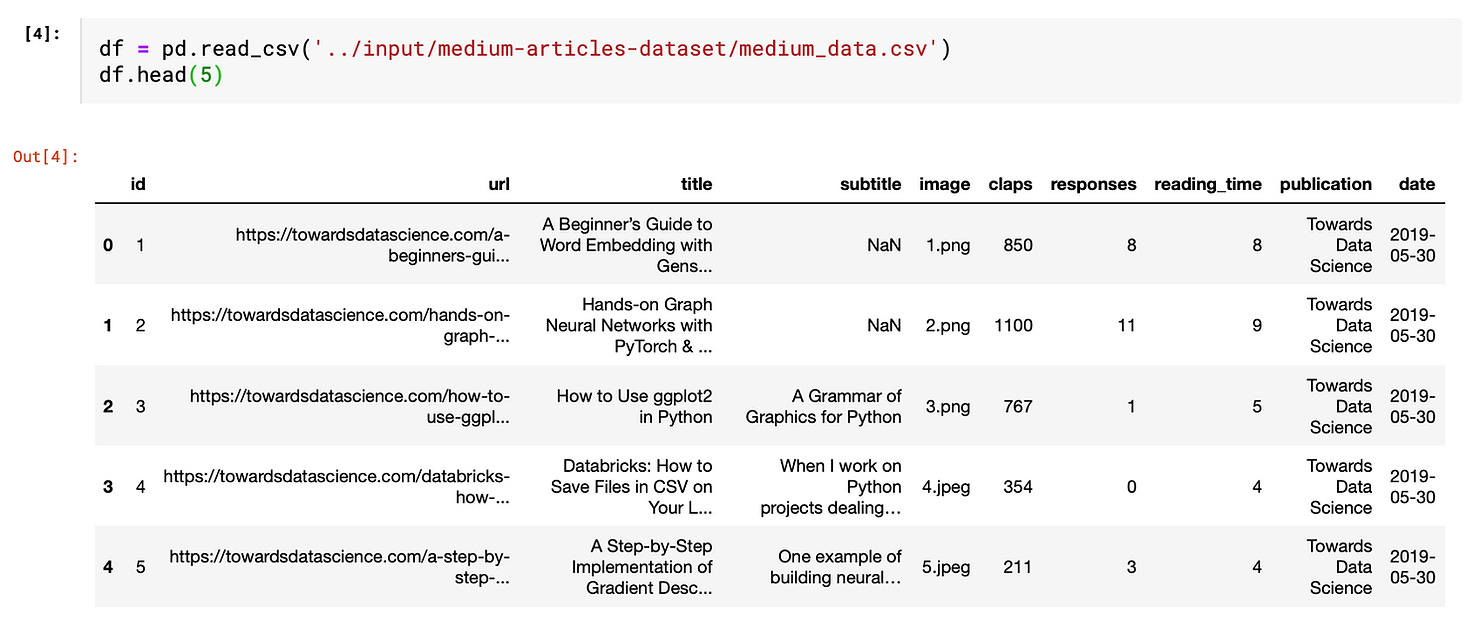
Import Data Create a data frame from the imported dataset by copying the path of the dataset and use “df.head(5)” to take a peek at the first 5 rows of the data.
Before zooming into each field, let’s first take a bird’s eye view of the overall dataset characteristics.
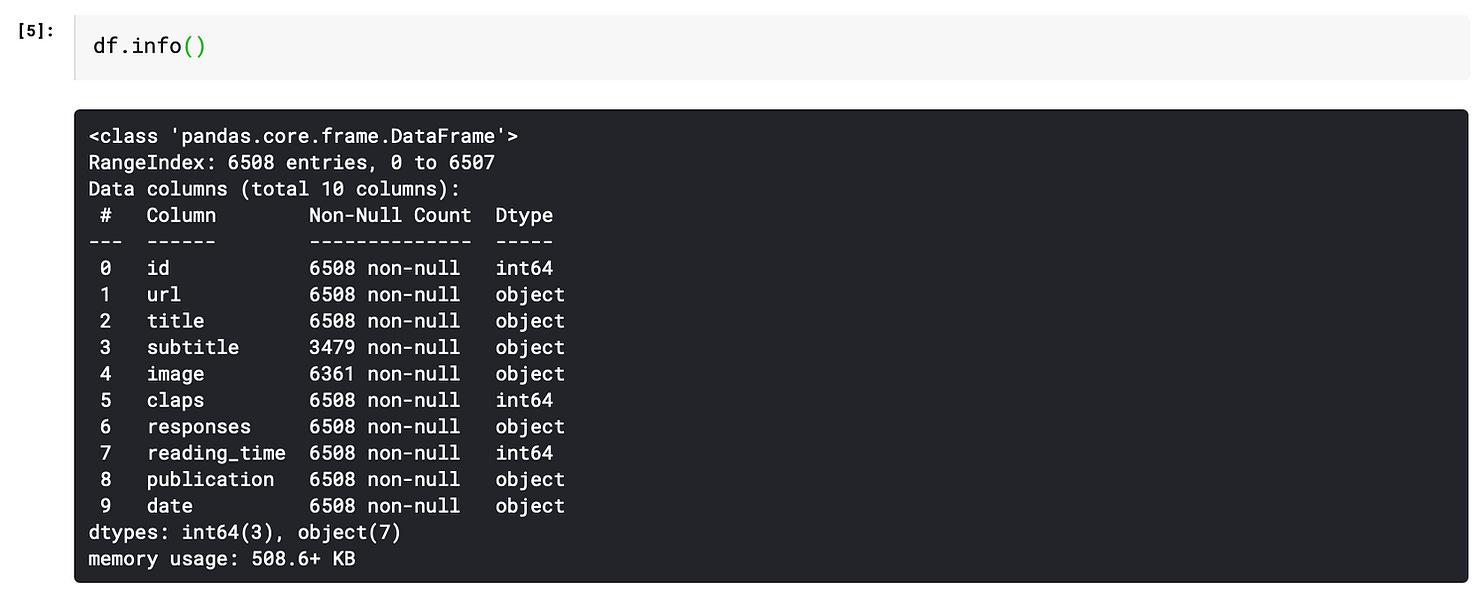
info( ) function
It gives the count of non-null values for each column and its data type: integer, object, or boolean.
describe( ) function
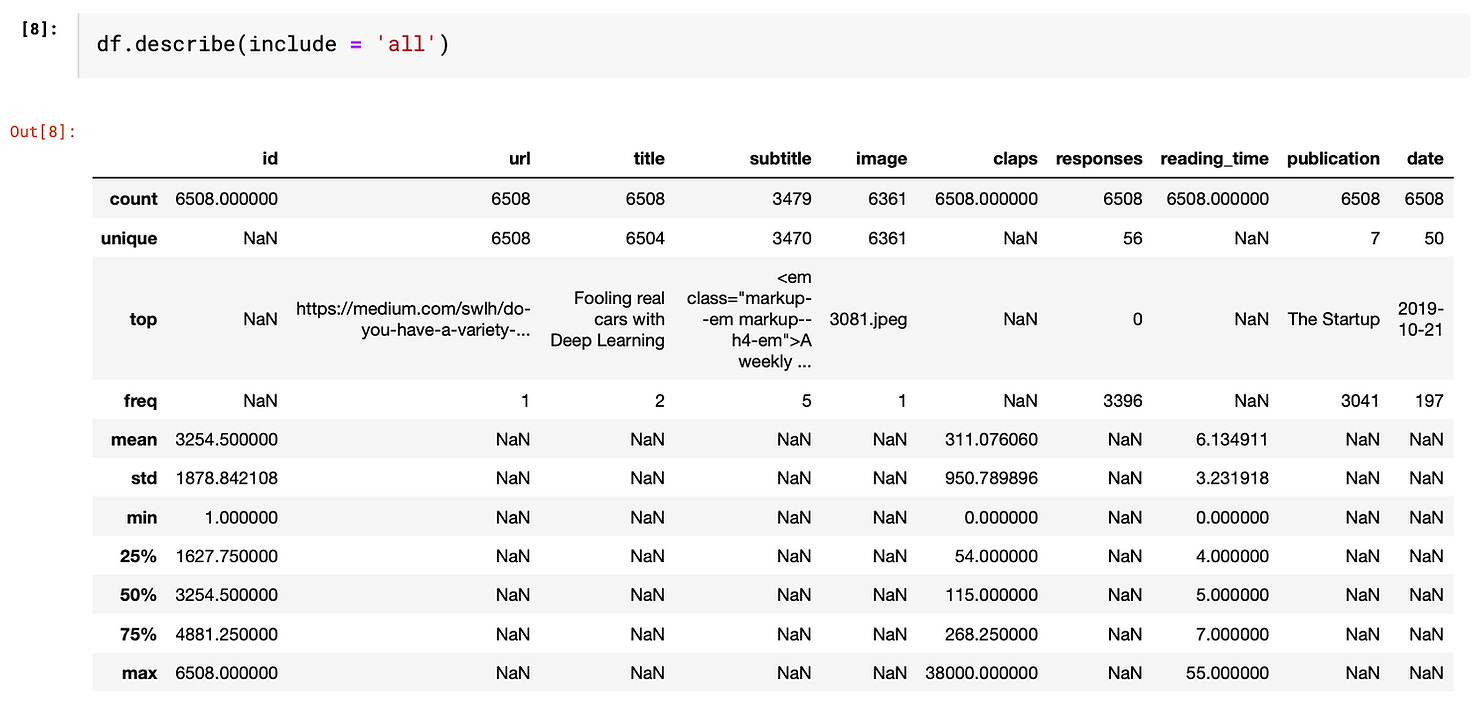
This function provides basic statistics of each column. By passing the parameter “include = ‘all’”, it outputs the value count, unique count, top-frequency value of the categorical variables and count, mean, standard deviation, min, max and percentile of numeric variables
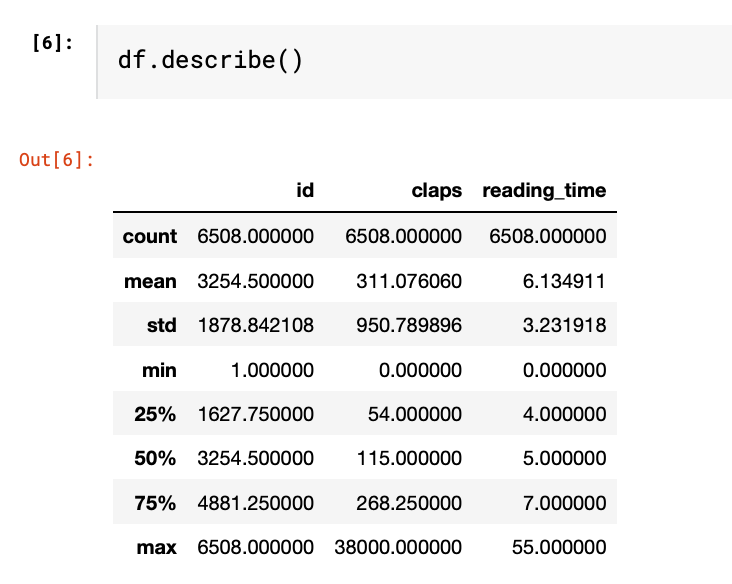
If we leave it empty, it only shows numeric variables. As you can see, only columns being identified as “int64” in the info() output are shown below.
Missing Values
Handling missing values is a rabbit hole that cannot be covered in one or two sentences. If you would love to know more about how to address missing values, this article may be helpful.

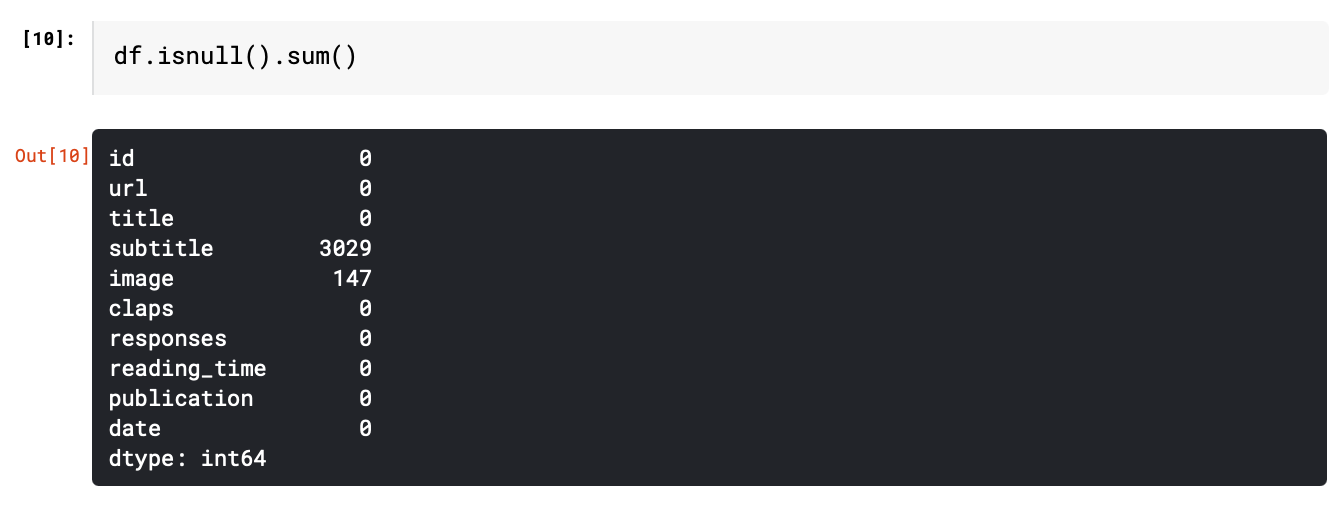
In this article, we will focus on identifying the number of missing values. “isnull().sum()” function gives the number of missing values for each column.
We can also do some simple manipulations to make the output more insightful.
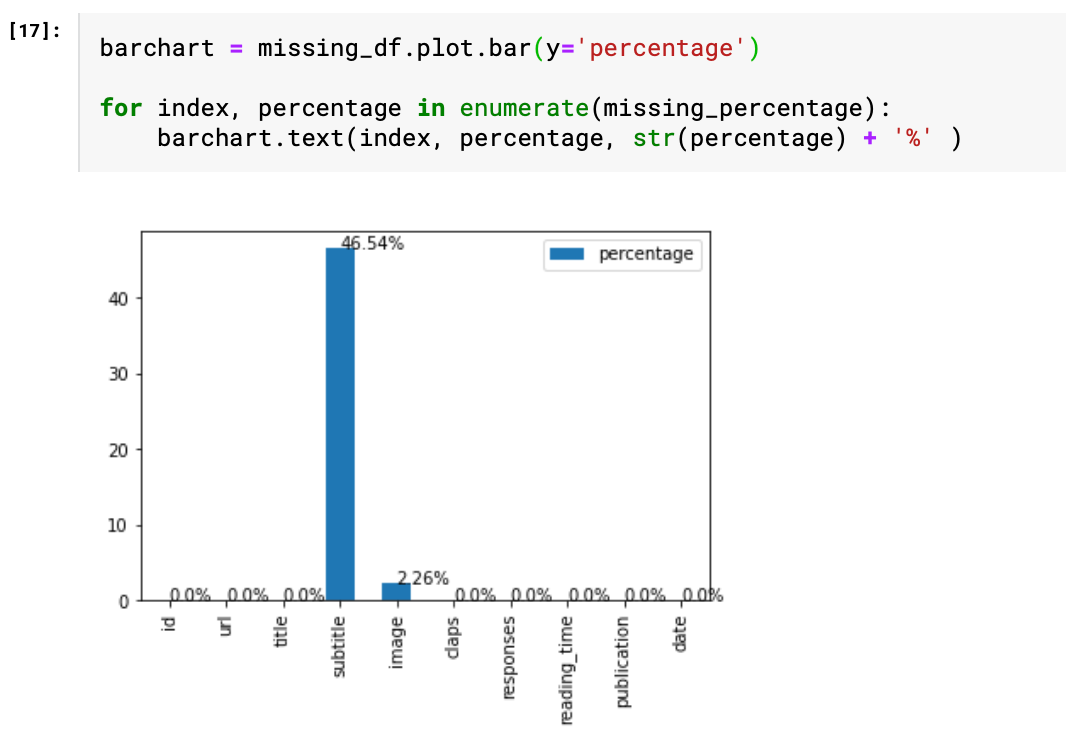
Firstly, calculate the percentage of missing values.
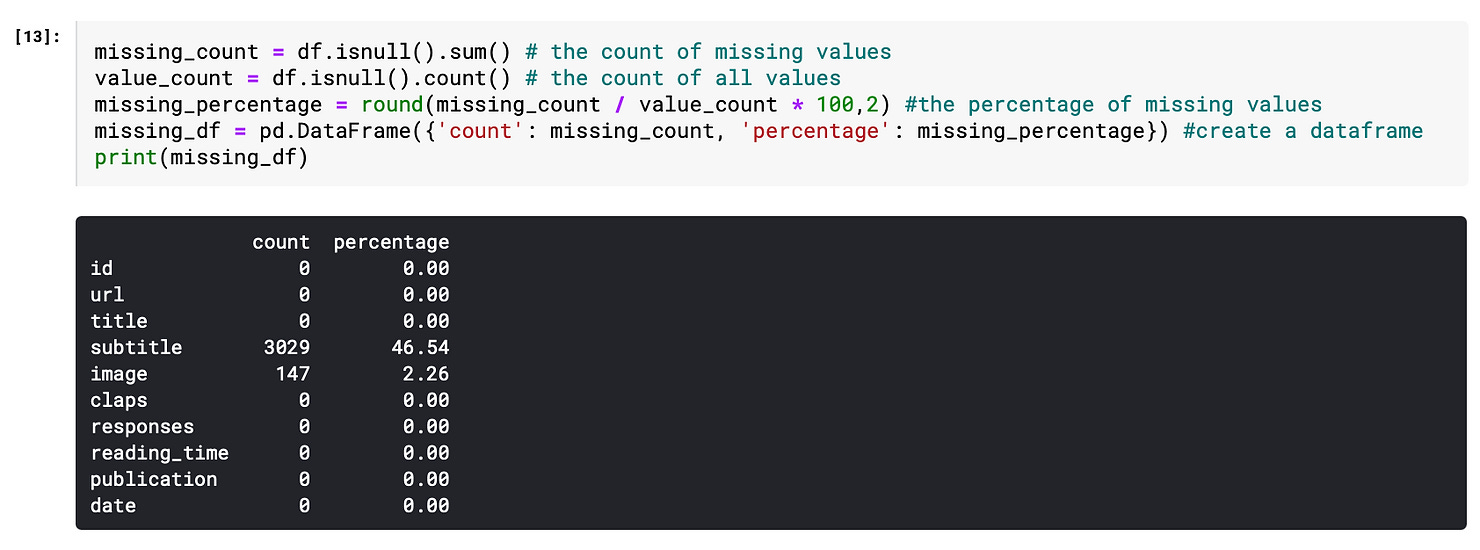
Then, visualize the percentage of the missing value based on the data frame “missing_df”. The for loop is basically a handy way to add labels to the bars. As we can see from the chart, nearly half of the “subtitle” values are missing, which leads us to the next step “feature engineering”.
2. Feature Engineering
This is the only part that requires some human judgment, thus cannot be easily automated. Don’t be afraid of this terminology. I think of feature engineering as a fancy way of saying transforming the data at hand to make it more insightful. There are several common techniques, e.g. change the date of birth into age, decomposing date into year, month, day, and binning numeric values. But the general rule is that this process should be tailored to both the data at hand and the objectives to achieve. If you would like to know more about these techniques, I found this article “Fundamental Techniques of Feature Engineering for Machine Learning” brings a holistic view of feature engineering in practice.
In this “Medium” example, I simply did three manipulations on the existing data.
1. Title → title_length
df[’title_length’] = df[’title’].apply(len)As a result, the high-cardinality column “title” has been transformed into a numeric variable which can be further adopted in the correlation analysis.
2. Subtitle → with_subtitle
df[’with_subtitle’] = np.where(df[’subtitle’].isnull(), ‘Yes’, ‘No’)
Since there is a large portion of empty subtitles, the “subtitle” field is transformed into either with_subtitle = “Yes” and with_subtitle = “No”, thus it can be easily analyzed as a categorical variable.
3. Date → month
df[’month’] = pd.to_datetime(df[’date’]).dt.month.apply(str)Since all data are gathered from year 2019, there is no point comparing the years. Using month instead of date helps to group data into larger subsets. Instead of doing a time series analysis, I treat the date as a categorical variable.
In order to streamline the further analysis, I drop the columns that won’t contribute to the EDA.
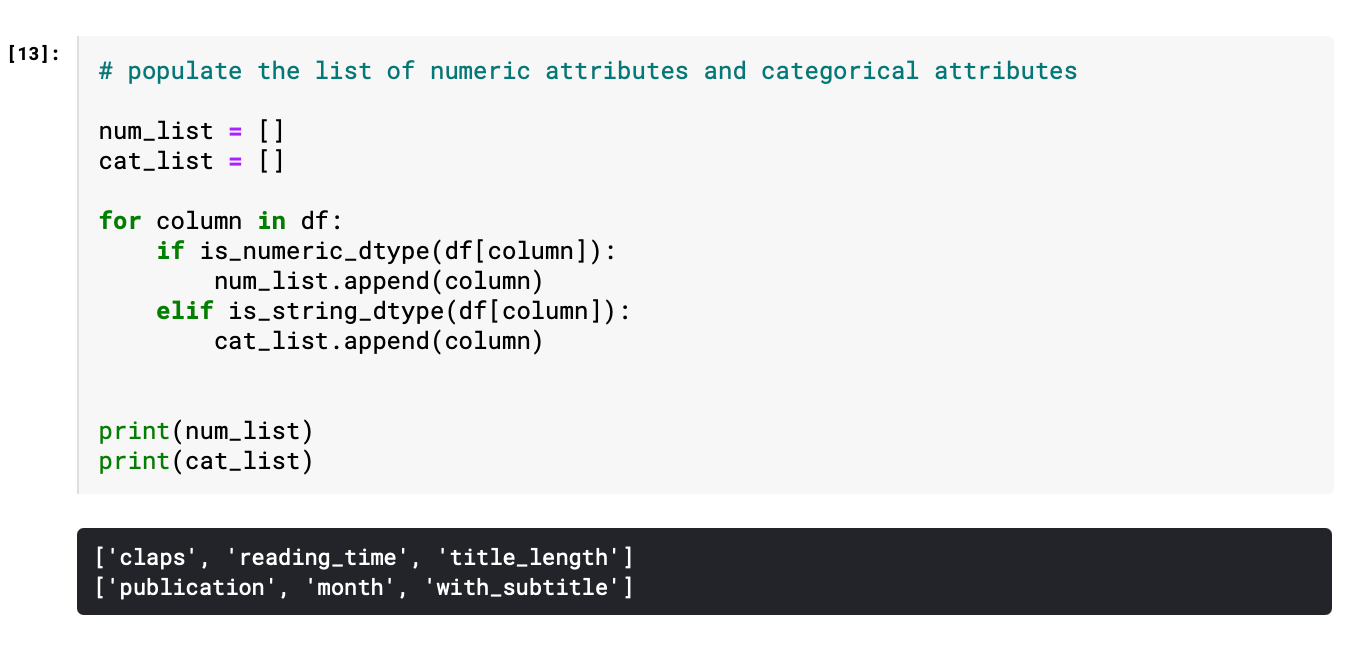
df = df.drop([’id’, ‘subtitle’, ‘title’, ‘url’, ‘date’, ‘image’, ‘responses’], axis=1)Furthermore, the remaining variables are categorized into numerical and categorical, since univariate analysis and multivariate analysis require different approaches to handle different data types. “is_string_dtype” and “is_numeric_dtype” are handy functions to identify the data type of each field.