
Data Science 101: Feature Selection in Machine Learning - Part 3
Wrapper Methods with Forward Selection & Backward Elimination
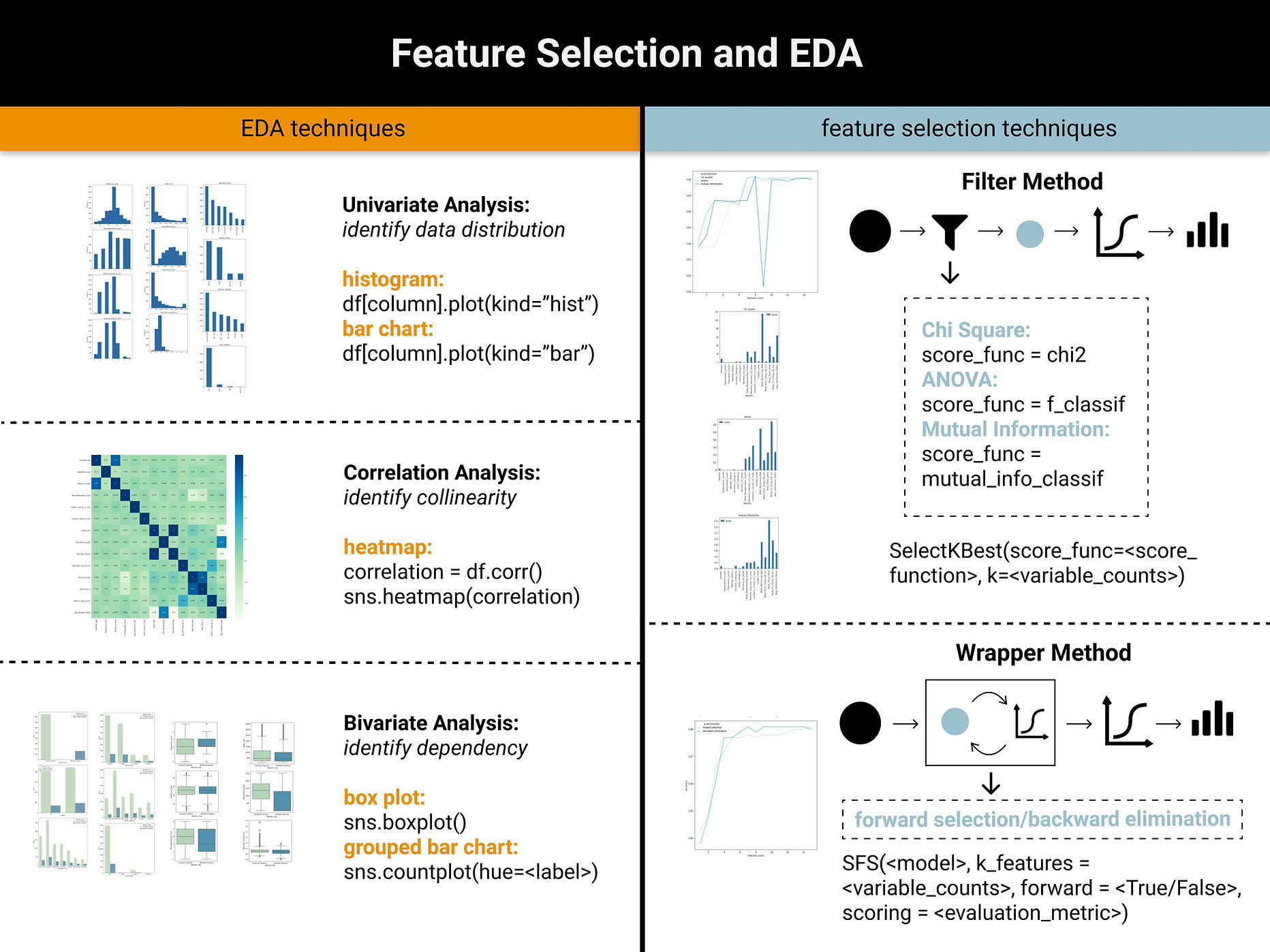
This is Part 3 of our feature selection series. In Part 1, we explored data preprocessing and EDA fundamentals, while Part 2 examined filter methods for feature selection.

In this article, we will introduce wrapper methods for feature selection, which differentiate from filter methods on the aspect of evaluation approach. Filter methods evaluate feature importance using statistical tests such as Chi-Square and ANOVA, while wrapper methods iteratively assess feature subsets by measuring the performance of models trained on those features.
Check out our video that explains this in a visual format.
Wrapper Methods
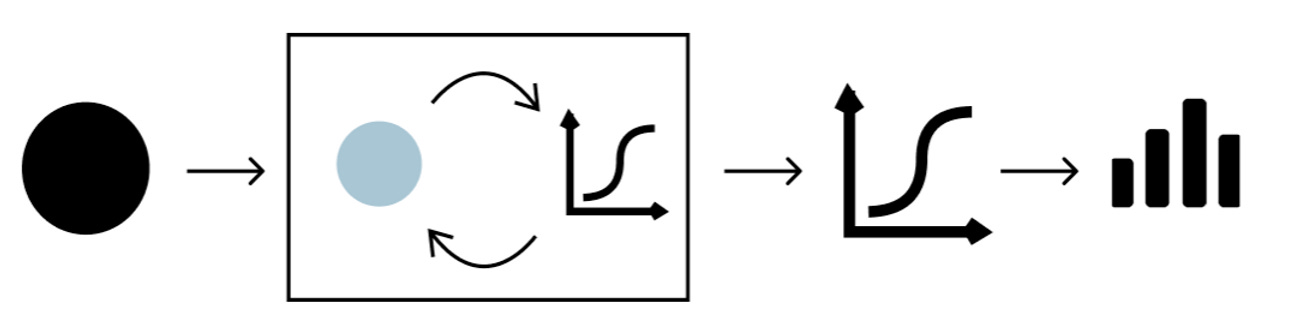
Wrapper Methods find the optimal subsets of features by evaluating the performance of machine learning models trained upon these features. Since it incorporates model into the feature selection process, it requires more computational power. This article covers two main wrapper methods, forward selection and backward elimination. To perform forward selection and backward elimination, we need SequentialFeatureSelector() function which primarily requires four parameters:
1) model: for classification problem, we can use Logistic Regression, KNN etc and for regression problem, we can use linear regression etc
2) k_features: the number of features to be selected
3) forward: determine whether it is forward selection or backward elimination
4) scoring: classification problem - accuracy, precision, recall etc; regression problem - p-value, R-squared etc
Forward Selection
Forward Selection starts with no features in the model and incrementally adds one feature to the feature subset at a time. During each iteration, the new feature is chosen based on the evaluation of the model trained by the feature subset.
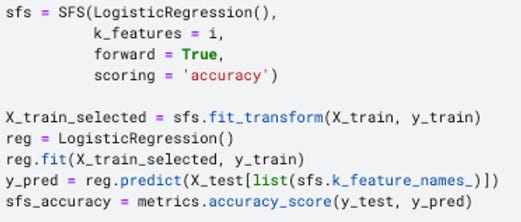
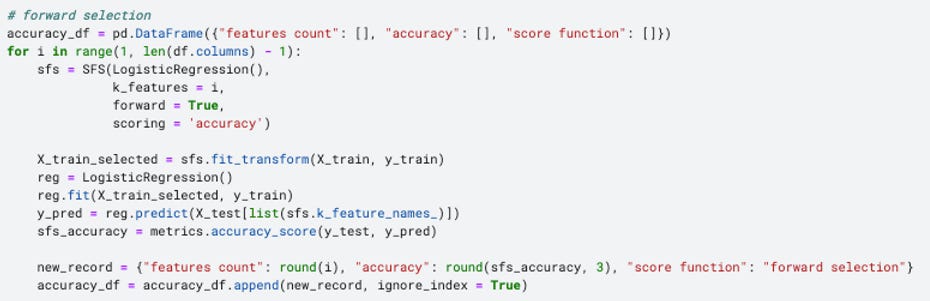
Since the machine learning model is wrapped within the feature selection algorithm, we need to specify a model as one of the input parameters. I choose Logistic Regression for this classification problem and accuracy as the evaluation metrics.
There is a slight difference in calculating the accuracy in the wrapper method compared to the filter method. Since we only fit the training set to the wrapper model, the accuracy score returned by the wrapper method itself is purely based on the training dataset. Therefore, it is necessary to train an additional model on the selected features and further evaluated based on the test set. To achieve this, I used the code below to import the required libraries, as well as create and evaluate the logistic regression model built upon the wrapper method.

Backward Elimination
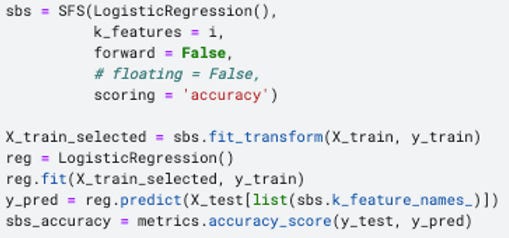
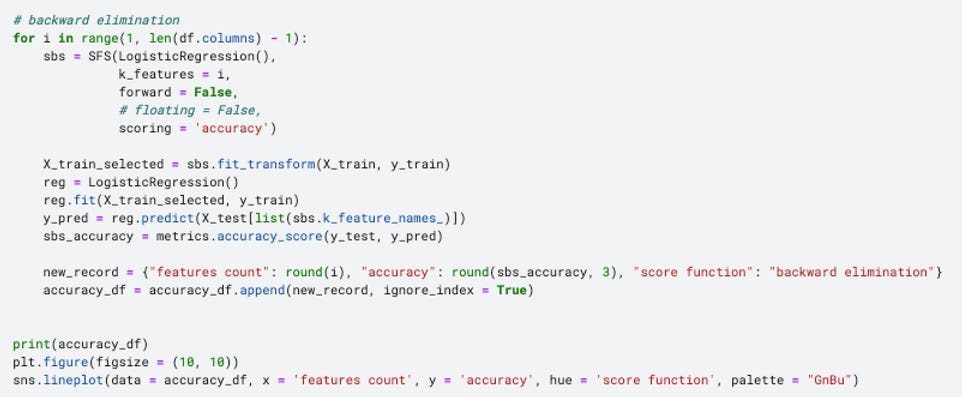
Simply put, it is just the opposite of the forward selection, starting with including all features to train the model. Then, features are iteratively removed from the feature subset based on whether they contribute to the model performance. Similarly, logistic regression and accuracy are used as the model and evaluation metrics correspondingly.
Interpret Filter Methods with Data Visualization
Similar to the filter method, I enveloped both forward selection and backward elimination into a for loop, in order to examine whether the variable counts would matter to the accuracy score.
As shown in the line chart, the accuracy grows rapidly when the feature counts is less than 4 and then remains stable around 0.88 afterwards.
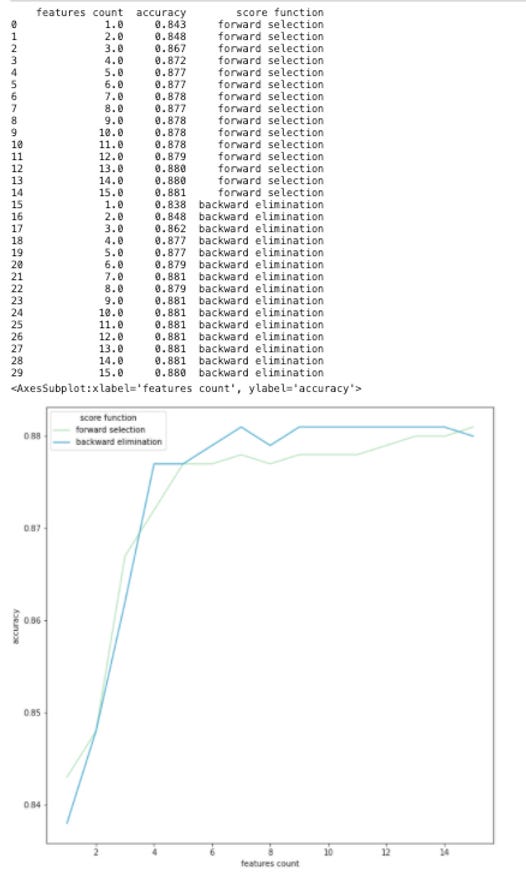
In this dataset, since there are only around 20 features in total, it may be hard for feature selection to yield any significant impact on model performance. However, it is undeniable that data visualization can help us to decide which features and how many features are suitable for the dataset or the objectives. This principle can definitely be extended to other dataset with more variables.
Take Home Message
In this series, we covered two fundamental techniques of feature selection:
Filter Methods: based on chi-square, ANVOA and mutual information
Wrapper Methods: based on forward selection and backward elimination
We also look at how to use data visualization to better understand the feature properties and additionally to select an appropriate number of features.